


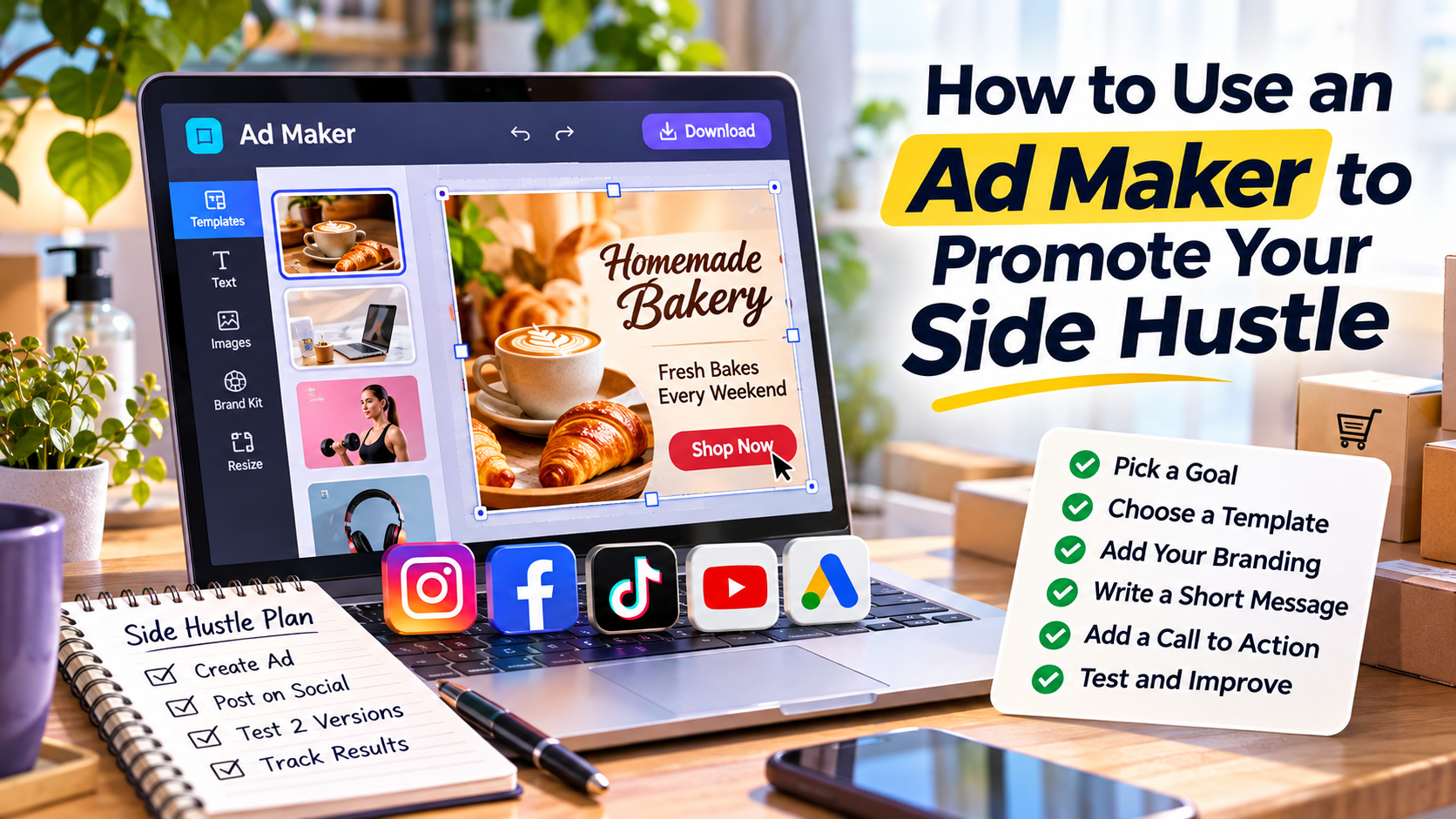
Learning how to use an ad maker mostly comes down to editing a good template. You pick one close to what you need, then swap in your logo, colors, and offer.
If you’re running a side hustle, you probably don’t have a designer or a lot of spare time. An ad maker lets you handle side hustle marketing in short sessions around your day job.
In this guide, you’ll learn how to use an ad maker step by step. You’ll also get starter ideas for social, video, and print ads based on what you offer.
What Is an Online Advertisement Maker?
An online advertisement maker is a web or mobile app that lets you build ads from ready-made templates.
Each template comes sized for a specific platform, with the layout and fonts already set. You drag in your photos, change the text, and download a file that’s ready to post.
Most advertisement design tools handle Instagram posts, short video ads, web banners, and flyers. So one tool covers your online ads and the printed marketing materialsyou hand out locally.
Professional ad design software gives you full control, but the learning curve is steep. DIY advertising tools trade some control for speed, so you finish ads in one sitting.
Learning how to use an ad maker gets you that speed without paying a designer.
| What Does an Ad Maker Do?
An ad maker turns ready-made templates into finished ads for social, video, and print. You add your photos, text, and brand colors, then download a file sized for each platform. It’s the faster route when you need fresh ads often and can’t hire a designer. |
Why Should Side Hustlers Use Ad Maker Tools?
Ad maker tools save you hours on design, which a side hustle rarely has to spare.
In LendingTree’s 2026 survey, 32% of side hustlers said they spend five to 10 hours weekly. With that little time, you don’t want a single flyer eating up a whole evening. A template cuts the job down to swapping photos and rewriting a few lines.
As for where to post, Intuit QuickBooks’ 2025 advertising survey points clearly to social media. Of the small businesses surveyed, 75% called it an effective advertising channel:
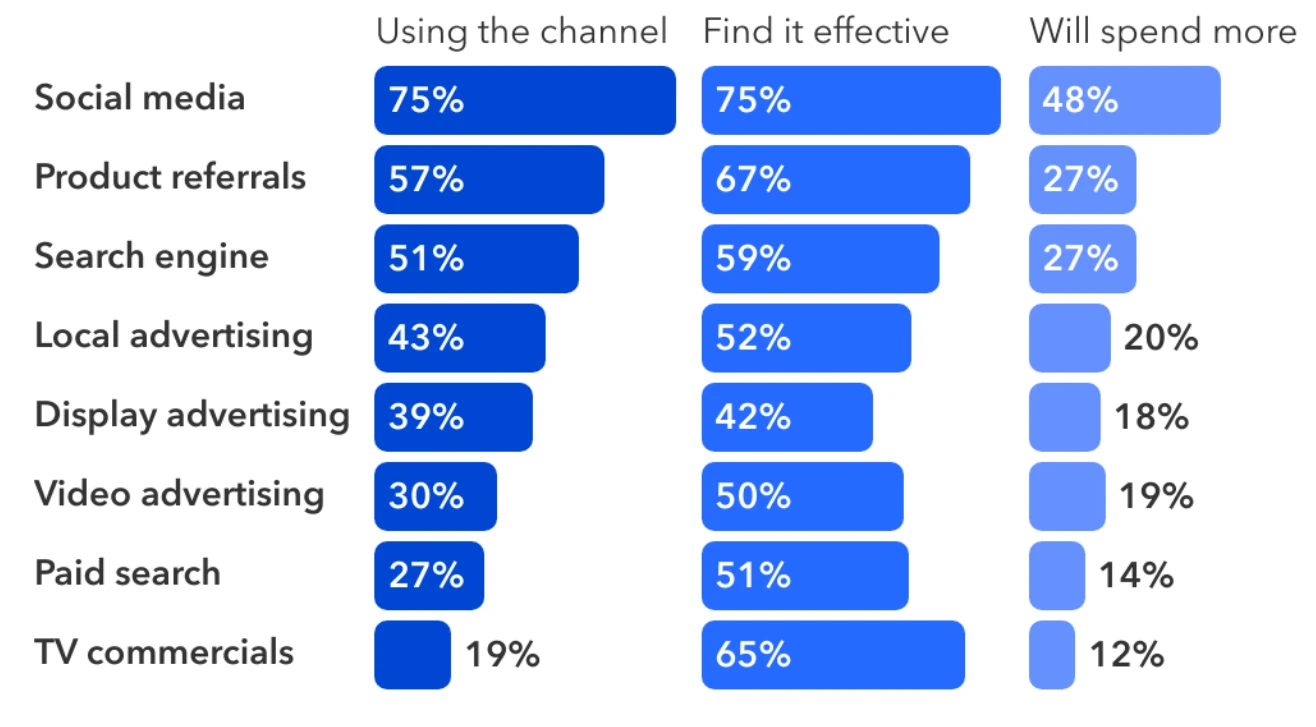

Image via Intuit
So if you’re new to online advertising for small businesses, start with social.
First-time buyers only know you from your ads, and consistent design builds trust early. Keeping the same colors, fonts, and logo on every ad helps a new seller look established.
| Do Side Hustles Need Ad Maker Tools?
Yes, if you advertise on social media and only have a few hours a week. Beginner-friendly digital advertising tools come with templates already sized for Instagram, Facebook, and TikTok. |
How to Use an Ad Maker in Six Steps
Start with one goal and a template sized for your platform. Next, add your branding, a short message, and a call to action, then test two versions.
The same process covers how to create online ads for any platform. Here are the steps in more detail:
- Pick One Goal: Decide whether the ad should sell something or get people to book you. A specific goal keeps your headline and call to action pulling in the same direction.
- Pick a Template for Your Platform: Open Adobe Express banner design and choose a template that suits your platform and campaign. Pick a layout close to your desired look, so you can customize the design instead of starting from scratch.
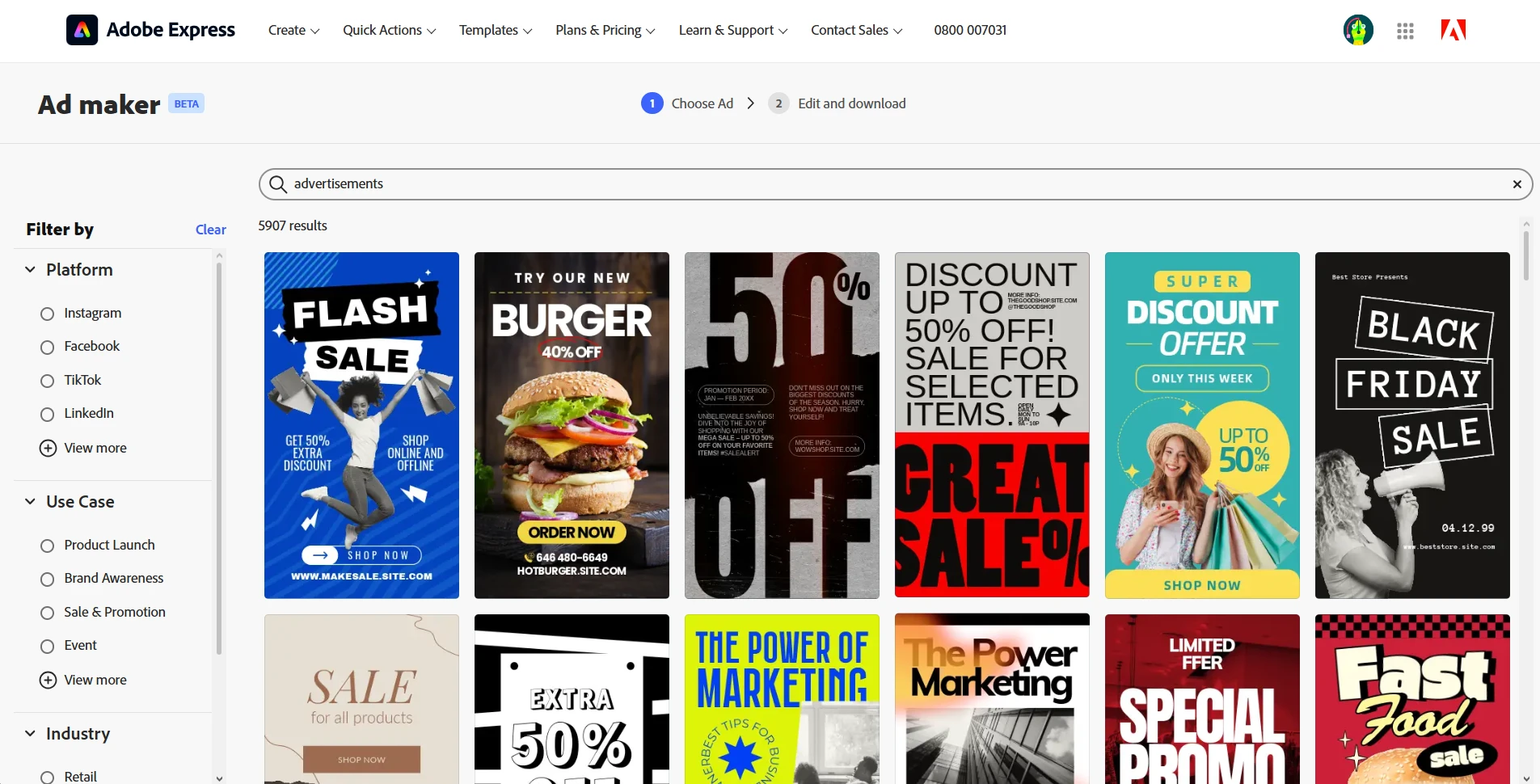

Image via Adobe Express
- Add Your Brand Basics: Upload your logo and choose two or three colors plus one font. Stick with them on every ad, and over time people will spot you mid-scroll.
- Write One Short Message: Say what the buyer gets, like “Fresh sourdough, delivered Saturday,” in under 10 words. Anything longer tends to get scrolled past before anyone reads it.
- Add a Clear Call to Action: Spell out the next move, such as “Book a lesson” or “Shop the sale.” Give it bold type so it’s the next thing people see after your headline.
- Publish, Test, and Track: Post two versions with a different photo or headline, and give them a week. Then compare saves and clicks, and check your Instagram post likes to see who responded.
Once one version wins, you can put a small budget behind it. Most online ad creation tools let you duplicate the winner and resize it for other platforms.
Later, for search ads, a Google Ads management strategy helps you avoid wasted spend. After a few rounds, you’ll know how to use an ad maker without a tutorial.
| What Are the Steps to Make an Ad?
Pick a goal, choose a sized template, add your branding, and write one short message. Then add a call to action, post two versions, and keep the one that performs better. These steps work the same in almost any social media ad maker or ad creation software. |
What Ads Should Your Side Hustle Make First?
Your first ad should show your main offer on the platform your buyers already use. Here are advertising ideas for side hustles by type:
- Online Sellers: Show your best seller in one clean photo, with the price and a “Shop now” button.
- Local Services: Print flyers for your neighborhood, then post the same design on Facebook with your starting rate.
- Freelancers: Share a before-and-after of client work, with one line on the result you delivered.
- Musicians and Creators: Post a short video teaser, or try an AI lyric video generator for song promos.
Most ad makers handle short video too, so it’s a natural next format to test. In Wyzowl’s 2026 report, 85% of people said a video had convinced them to buy something.
| Which Ads Should You Make First?
Start with one ad showing your main offer where your buyers already scroll. Once you know how to use an ad maker, test short videos next. |
FAQ
1. Is there a free online ad maker for beginners?
Yes, and it’s a low-risk way to learn how to use an ad maker. Adobe Express has a free plan with thousands of templates, photo editing, and animation.
2. How long does it take to learn how to use an ad maker?
You’ll probably have the basics down after one sitting, because templates do the layout work. Getting fast takes a handful of ads and some clicking around.
3. Can you make video ads with ad creation software?
Yes, most ad creation software comes with video templates for short-form social ads. You drop in your clips and captions, then pick music before you download.
4. What size should a social media ad be?
It depends on where it’ll run, though a 1080 x 1080 pixel square suits most feeds. For Stories, Reels, and TikTok, go vertical at 1080 x 1920.
5. How much should a side hustle spend on ads?
Start at $0 with organic posts, then add a small paid budget once one ad performs. Putting money only behind proven ads is one of the safer small business advertising strategies.
How Should You Start Using an Ad Maker?
Start with one goal, one template, and one ad for the platform your buyers use. Add your branding and a short message, then close with a clear call to action. Then test two versions and put your time behind the one that performs.
Once you know how to use an ad maker, a new ad takes one short session.
Pick a free advertisement maker and turn your next offer into your first ad today.