


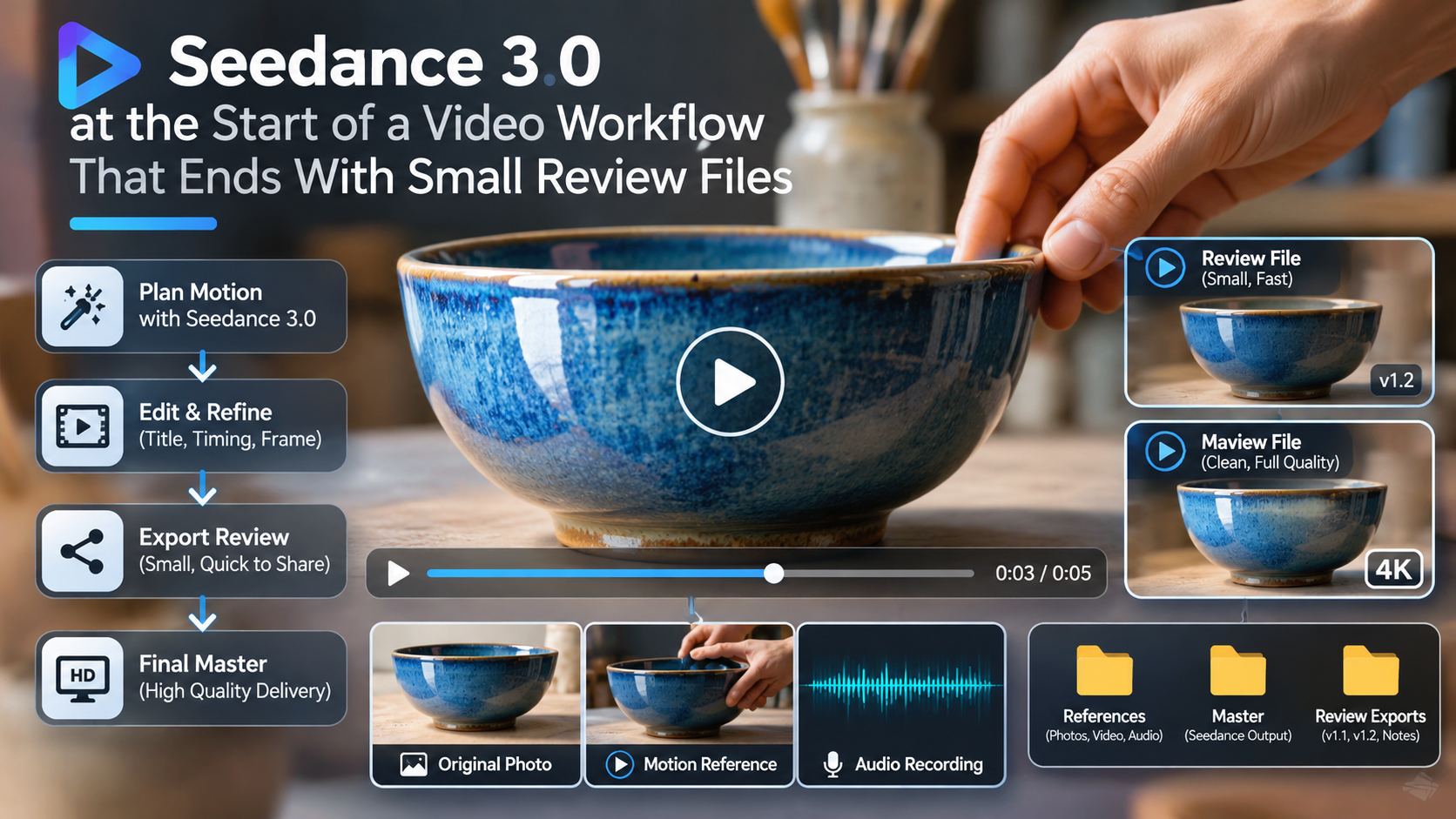
In a fictional video for a ceramics workshop, a hand turns a blue bowl just far enough for a thin line of light to cross the glaze. I want the pause after that movement to carry the closing title. Before I record the real workshop, I plan to make a short motion study and send it to the person who will set the title. The studio needs something that plays quickly on a phone and still shows exactly which frame I mean. This is where a small review file and a clean master serve different jobs.
I’ll keep three pieces of material side by side: the original photograph of the bowl, the motion reference and the audio recording from the room. Once I’ve made the short video, I’ll save the original output in a folder alongside those references. The review export can live in a separate folder with the date and notes for that version. If the title changes after feedback, I can make another review copy from the same master. I want to be able to trace that edit without hunting for a file in a chat thread.
Make the motion draft before choosing a review encode
The still has a cream backdrop that makes the bowl easy to read. I’ll use Seedance 3.0 to plan a clip that keeps the base on the table and turns the glaze toward the light. A reference video of the motion on a different bowl can show the speed of the hand. The photo gives the draft its blue glaze and shape. I can add a recording of a soft scrape as an audio reference and describe the half-second hold at the end in the text brief.
The first version might have a good turn but stop before the shine reaches the rim. I’ll ask for a slower finish and keep the crop roughly the same. Then I can compare the two Seedance 3.0 takes in an editor. I care about the place where the rim stops moving, so I’ll mark that frame instead of trimming immediately. Leaving the extra frames in the master gives me room to try several placements for the title before I decide how long the finished shot will run.
Choose what the reviewer needs to see
For the first review I can export a small MP4 with a visible version label and the same aspect ratio as the larger edit. The shape of the frame matters because I’m asking someone to comment on where the title sits. I’ll try a conventional encoding that our review devices can play and check the file after export. A file extension alone does not tell me whether an older phone or browser can decode what is inside. I’ll play the small file in the same environment where I intend to share it. Then I can listen for the scrape and check that the mark on the timeline still lines up with the visible turn.
If the glaze develops large bands between bright and dark blue as I compress the file, the reviewer may blame lighting that actually looks fine in the master. I’ll move the review export one step toward better quality and compare a short section around the turning rim. The scale of the shot can stay small while I change its encoding settings. For a comment about wording alone, a still frame may be simpler. For timing and movement, I need a copy that shows the whole moment fairly.
Give each kind of feedback a stable reference
I’ll ask for comments in the form of a version name and a timestamp. For example, “bowl review B, near the end of the turn” is easier to act on if the viewer also pastes the time shown by the player. I’ll keep the frame at the end of the Seedance 3.0 draft unchanged while I audition title positions. If the person reviewing wants to see a longer pause, I can give them a second cut in which the only visible difference is that timing. The title sample and the camera move are easier to discuss when they are not both changing at once.
A one-page note can hold a still and the accepted line of text once the timing is agreed. I’ll save that note in a format the reviewer can open and add the same version name used in the video. The reference material in my working folder is still available if I need to revise the frame. The concise note gives somebody else enough information to approve the plan without opening the source project. When I later shoot real footage, I can match the title placement and compare the new shot against the same still.
Keep your original files available for later exports
I’ll retain the output from Seedance 3.0 and export delivery copies from the edited master. The first small copy is useful for notes, but I’ll bypass it when I make the final delivery. I can label horizontal and vertical versions explicitly. If the vertical crop removes part of the rim, I’ll reposition the shot rather than hiding the problem under larger lettering. For that version I might use a new Seedance 3.0 study to choose the best crop before the real camera goes out. I’ll carry over the sound from the approved edit once the turn and the frame agree.
I’ll save a copy of the Seedance 3.0 shot notes next to the master. The record can include the source filename, the chosen take, the editor timestamp for the start of the title and the name of the review copy it came from. That is enough for another editor to find the exact moment without guessing which clip I kept.
My last check is to open each delivery file as if I had never seen it before. I’ll look for anything out of alignment, watch the moment where the light reaches the rim and read the title at the actual display size. Then I’ll play the master from the same point and confirm the cut still lands as intended. The film is simple enough that a few frames make a difference. Keeping the source and the review copy distinct gives both the creator and the reviewer a clear view of those frames.
Learn more about latest technologies.