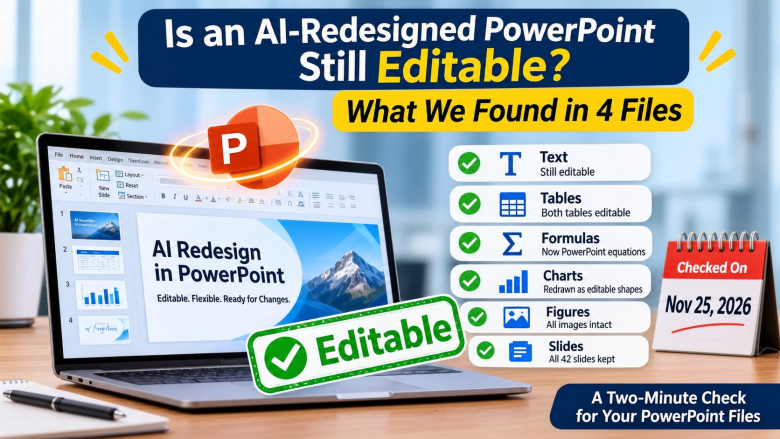
Yes. We checked four PowerPoint files after an AI redesign on November 25, 2026, and the objects people edit were all still editable. Text stays in editable text boxes. Both tables in the report stayed editable tables, and text-box grids in the lecture became real tables. Formulas became native PowerPoint equations, and the chart was redrawn in the new style as editable shapes. All 42 of 42 slides were there, and 1,865 of 1,866 words (99.9%) were kept.
Disclosure: the test was run by the team behind Wonderslide, the service we used, on a paid plan with the default style and one run per file.
What did we check, and on which files?
We used four PowerPoint files of 8 to 12 slides, 42 slides in total: a data-heavy company profile, a quarterly support report with 2 tables and 1 chart, a university lecture with formulas, and a partner pitch. Each file went through the Redesign scenario, which lets you redesign an existing PowerPoint. We uploaded the file and sent one message: “Redesign this presentation”. There was no setting to choose and no follow-up question.
We counted words, numbers and slides in the originals and in the results with a free comparison tool that does not use an LLM. Editable objects only help if the content inside them is still right, so the counts come first, and the object checks follow.
Which objects stayed editable?
| Object | File | What we found |
|---|---|---|
| Text | All four files | Stays in editable text boxes; 1,865 of 1,866 words kept |
| Tables | Quarterly support report, 2 tables | Both stayed editable tables |
| Text-box grids | University lecture | Became real, editable tables |
| Formulas | University lecture | Became native PowerPoint equations |
| Chart | Quarterly support report, 1 chart | Redrawn in the new style as editable shapes |
| Figures | All four files | Every figure in the body text and tables still on the slides |
| Slide order | All four files | Kept |
What does “editable” mean for each object type?
Text blocks
Text is editable when a title or a bullet list is a text box you can click into and retype. The counter found 1,865 of 1,866 words in the four results, and in our files the text stayed in editable text boxes, so a last-minute change to a title is a normal edit.
Tables
A table is editable when you can click a cell, change a number and add a row without redrawing anything. Both tables in the report passed. The lecture went further: grids built from separate text boxes became real, editable tables, which is easier to maintain than a pile of boxes.
Formulas
PowerPoint can hold a formula as an equation object that you open and edit symbol by symbol. The lecture formulas became native PowerPoint equations, so a correction is a few keystrokes and the formula keeps the look of the rest of the slide.
Charts
The chart in the report was redrawn in the new style as editable shapes. You can select each shape, change its size and color, and edit the labels like any other text on the slide.
Why does editability matter after a redesign?
A deck is a working document. Prices change, a speaker swaps a case study, a lecture gets a corrected formula, and a quarterly report is refreshed with new figures. If the redesigned file lets you make those changes in place, the redesign saves time on every later edit as well as on the first one. If it does not, you pay the cost each time, usually the evening before a meeting. That is why we looked at object types one by one instead of stopping at the word count: the count tells you the content arrived, and the object check tells you that you can keep working with it.
How can you check this in your own file in two minutes?
- Click into a title. Change one word. If the cursor goes into the text, the text layer is intact.
- Click into a table. Type a new value in a cell and add a row.
- Double-click a formula. If an equation editor opens, it is an equation object.
- Click a chart. Select a bar or a label and move or recolor it.
- Compare content. Upload the original and the result to a free presentation comparison tool, which counts words, numbers and slides without an LLM, and read the counts.
Do the first four checks on two or three slides that hold different content, for example a table slide and a formula slide, and you will know in a couple of minutes whether the deck is ready for the next round of changes.
Can you check a public example yourself?
Yes. The Redesign page lets you download both files of an example, before and after. The example has 6 slides, and when we checked it with the comparison tool on November 25, 2026 it showed 128 of 128 words and 20 of 20 numbers, with the table still a table.
Frequently asked questions
Are tables still editable after an AI redesign?
In our check, yes. Both tables in the quarterly report stayed editable tables, and text-box grids in the lecture became real, editable tables.
Do formulas survive?
In the lecture file they became native PowerPoint equations. Double-click one in your own deck to confirm.
What happens to charts?
The chart in the report was redrawn in the new style as editable shapes.
Is the text still editable?
Yes. Text stays in editable text boxes, and 1,865 of 1,866 words were kept across the four files.
All checks above were made on November 25, 2026.