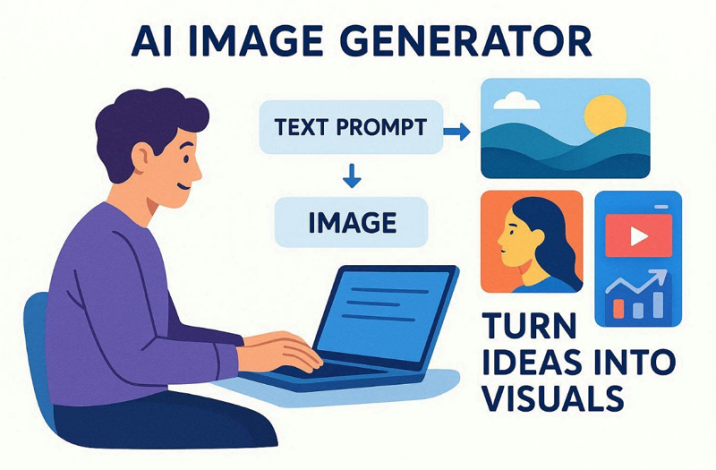
In today’s digital world, creating images has become easier with new tools. An AI image generator can help anyone make pictures without needing advanced skills. These tools allow users to turn ideas into visuals quickly and clearly.
Creators use these digital tools to save time and work much faster. Yet, understanding how these tools work can help you produce professional-looking images. So, this guide explains the best options for making high-quality photos for projects.
Part 1. What Is An AI Image Generator And How It Transforms Creativity
An AI photo generator is a smart tool that creates new pictures from text. Such a program learns from many images to understand how different objects look. It does not copy old photos but builds fresh art from very simple noise. You just type a short description to see a beautiful scene in seconds. Editors can mix different styles to create unique scenes that look very cool.
A modern AI image generator uses specialized techniques such as diffusion models or GANs. The tool works with text prompts or even reference images to produce detailed images. It saves a lot of time for people who need quick images for projects. This allows you to build high-quality backgrounds for your social media posts. These tools change how we think by making every big dream a visual reality.
Part 2. Understanding AI Image Generator in Filmora
Filmora is an excellent tool for generating AI images for your video. This advanced software generates images at different resolutions, including high-quality 4K outputs in one click. Its Nano Banana Pro model generates images faster with sharper details and improved lighting. You can adjust the aspect ratio of a photo according to the desired need. Users can also upload their own multiple pictures to make it 3D realistic.
This video editing software for Mac offers 10+ stunning art styles for every creation need. It even allows you to generate multiple unique visuals with the same prompt. Editors can modify the lighting, atmosphere, and mood of generated visuals with simple prompts. In addition to this, any generated images may be used in personal or commercial projects without any copyright limitations.
AI Photo Generator Features in Filmora
Many creators look for a free AI image generator like Filmora to quickly turn ideas into visuals. Below are the key features that make Filmora’s AI photo generator powerful and easy:
- Smart Generation: AI converts written descriptions into detailed visuals within seconds for quick creative results.
- Color Control: Users can influence color tones through prompts to create dramatic visuals.
- Filter Effects: Apply creative visual effects to enhance generated images for projects.
- Standard Mode: Standard mode generates balanced images with clear and stable visual results.
- Quality Control: Users can adjust quality settings to generate sharper images with improved textures and lighting.
Step-by-Step Guide to Using AI Picture Generator in Filmora
As you explored the capabilities and key features, you now need to understand how the process works inside Filmora. Review the step-by-step guide below to generate an AI image easily:
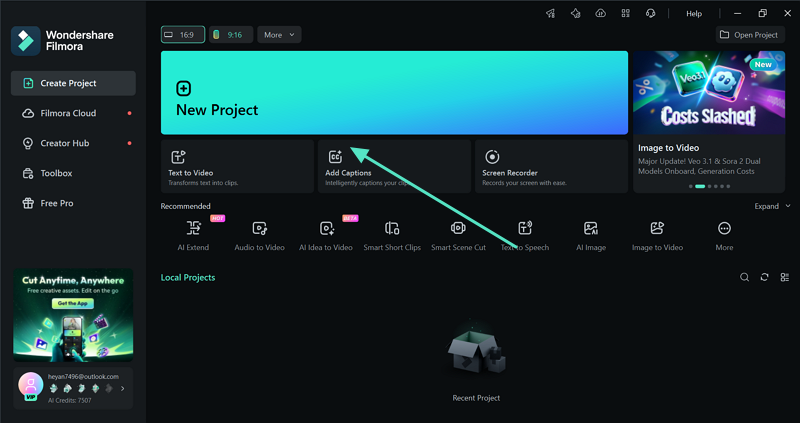
Step 1. Create a New Project in Filmora
To begin, opt for the “New Project” button from the tool’s main interface.
Step 2. Generate an AI Image
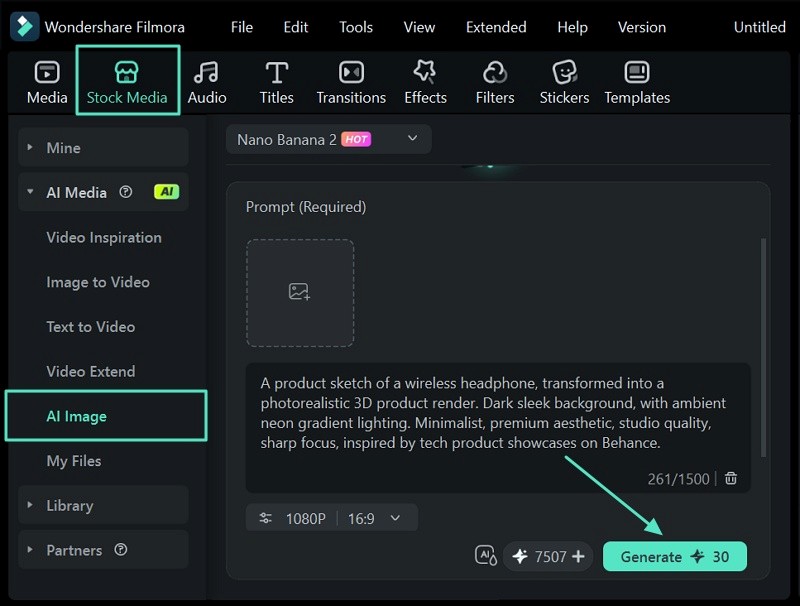
Now, click the “Stock Media” option and choose “AI Image” from the menu. Select the desired AI model, enter the prompt into the given “Text Box” and an image, if needed, and hit the “Generate” button to create an AI image.
Step 3. Preview and Use Image in Timeline
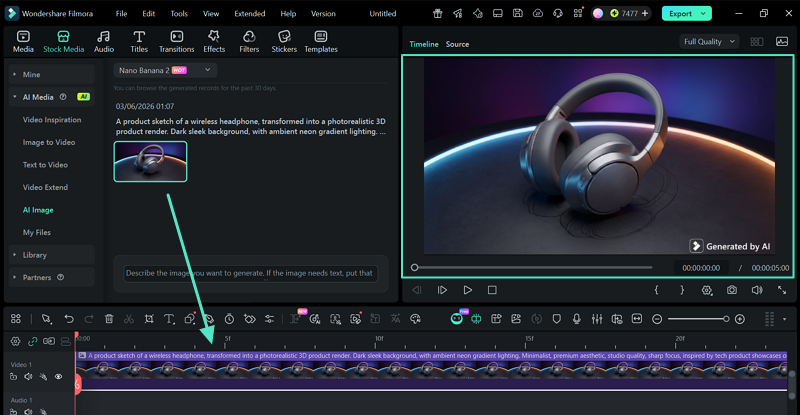
When your AI image is generated, drag it into the timeline to preview and use it in a video.
Part 3. Why Filmora Is the Best AI Image Generator – Verdict
Filmora stands out as one of the best programs for creating AI images quickly and easily. It combines powerful image creation with a full video editing program in one place. This means users do not need separate tools to design visuals and edit content. Filmora relies on modern AI models such as Nano Banana Pro to generate sharper textures, improved lighting effects, and more natural images.
The built-in AI photo generator lets users turn simple text prompts into creative visuals within seconds. The other powerful strength is the seamless flow within the editor. Generated images automatically appear in the media library, so you can drag them into your project timeline. It is perfect for making fast social media posts or great YouTube thumbnails.
Conclusion
AI tools are changing how people create pictures for work and online content. An AI image generator helps turn simple ideas into clear visuals within seconds. These tools save time and make design easier for beginners and professionals. Therefore, Filmora becomes a smart choice because it combines AI image creation with powerful editing in one platform.