For years, I relied on traditional web browsers like most people. I used Incognito Mode when I wanted a little extra privacy, installed a few browser extensions, and assumed that was enough. But as my online activities grew, I started running into problems that regular browsers simply weren’t designed to solve.
Managing multiple accounts became frustrating. Some websites repeatedly asked for verification, while others displayed different content depending on my location. Even switching between work and personal accounts meant logging out, clearing cookies, or opening another browser.
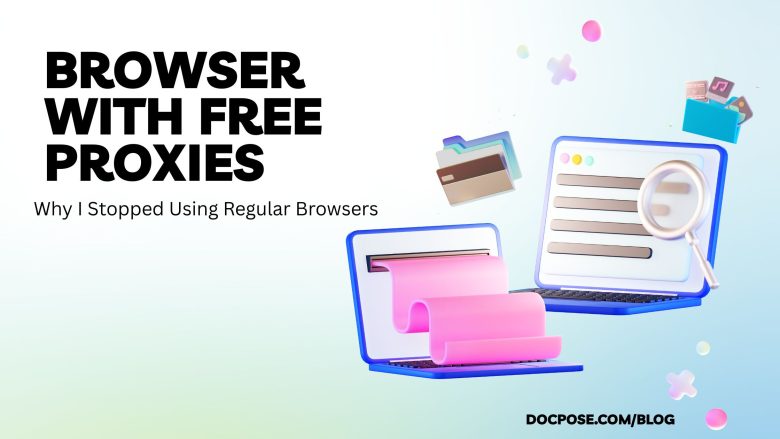
That’s when I decided to try a browser with free proxies, and it completely changed how I browse the internet.
Unlike a standard browser, a browser with free proxies lets you browse using different IP addresses while keeping your browsing sessions separate. It’s not about hiding online or bypassing rules. It’s about improving privacy, reducing account conflicts, and making everyday browsing much more efficient.
What Is a Browser With Free Proxies?
A browser with free proxies is a web browser that includes built-in proxy support, allowing you to connect through different IP addresses without installing additional proxy software or browser extensions.
Many of these browsers also provide isolated browser profiles, meaning each profile has its own cookies, cache, browsing history, and login sessions.
Think of it like having multiple independent browsers inside one application.
For example:
- One profile for work emails
- One for social media management
- One for personal browsing
- One for testing websites from another country
Each profile stays completely separate, preventing login conflicts and making account management much easier.
A Real-World Example
Imagine you’re a freelance digital marketer managing advertising accounts for five different clients.
With a regular browser, you constantly switch accounts, clear cookies, and verify your identity. It’s slow, repetitive, and increases the risk of accidentally accessing the wrong client account.
With a browser with free proxies, you simply create five browser profiles. Each profile has its own login session and proxy location. Client accounts remain isolated, saving time while reducing unnecessary verification requests.
The same concept applies to developers testing websites, e-commerce sellers monitoring international stores, or remote workers accessing region-specific content.
Why Built-In Proxies Are Better Than Browser Extensions
Many people start by installing free proxy extensions. While convenient at first, they often create new problems.
Browser extensions may slow browsing speeds, stop working after updates, or conflict with other extensions. Some free proxy extensions also raise privacy concerns because users don’t always know who operates the proxy servers.
A browser with free proxies integrates proxy management directly into the browser. Instead of relying on multiple third-party tools, everything is managed from one interface. Each profile can use its own proxy configuration, creating a smoother and more reliable browsing experience.
Why More People Are Switching to a Browser With Free Proxies
Today’s websites use much more than your IP address to recognize visitors. They also analyze browser fingerprints, language settings, cookies, screen resolution, and time zones.
For users who manage multiple accounts or work across different regions, this creates unnecessary friction.
A browser with free proxies helps organize browsing activities by keeping sessions separate instead of mixing everything together. Rather than constantly deleting cookies or logging in and out, each profile maintains its own consistent environment.
This approach saves time and reduces common browsing frustrations.
Who Benefits From a Browser With Free Proxies?
Although proxy browsers are often associated with developers or cybersecurity professionals, they’re useful for many everyday users.
A browser with free proxies can benefit:
- Digital marketers managing multiple advertising accounts
- SEO professionals checking search results in different countries
- Website owners testing localized content
- Freelancers separating client work from personal browsing
- E-commerce businesses monitoring international product listings
- Remote workers accessing region-specific services
- Privacy-conscious users who want greater control over their browsing sessions
Whether you’re running a business or simply organizing your online life, separate browser profiles can significantly improve productivity.
Browser With Free Proxies vs Regular Browser
| Feature | Regular Browser | Browser With Free Proxies |
|---|---|---|
| Multiple IP addresses | No | Yes |
| Separate browser profiles | Limited | Yes |
| Built-in proxy support | No | Yes |
| Geo-location testing | No | Yes |
| Multiple account management | Difficult | Easy |
| Cookie isolation | Limited | Yes |
| Privacy control | Basic | Advanced |
Is a Browser With Free Proxies Safe?
Safety depends on the browser you choose.
Look for providers that clearly explain how their proxy network operates, publish transparent privacy policies, and regularly release security updates.
Avoid unknown browsers that promise unlimited free proxies without explaining where their proxy servers come from or how user data is handled.
A reputable browser with free proxies should give users control over their browsing experience while respecting their privacy.
Final Thoughts
The internet has become more personalized, location-aware, and account-driven than ever before. While regular browsers remain suitable for casual browsing, they often struggle to meet the needs of users managing multiple accounts, working with international clients, or testing websites across different regions.
A browser with free proxies offers a smarter approach by combining integrated proxy support with isolated browser profiles. The result is cleaner browsing sessions, fewer login conflicts, improved organization, and greater control over your online identity.
If you regularly switch between accounts, travel frequently, or simply value a more organized browsing experience, a browser with free proxies can be a worthwhile upgrade over traditional browsers.
Frequently Asked Questions
What is a browser with free proxies?
A browser with free proxies is a web browser that includes built-in proxy support, allowing users to browse the internet using different IP addresses without installing separate proxy software.
Is a browser with free proxies better than Incognito Mode?
Yes. Incognito Mode only prevents your browser from saving local history and cookies after the session ends. It does not change your IP address or isolate browsing sessions like a browser with free proxies.
Can a browser with free proxies help manage multiple accounts?
Yes. Separate browser profiles allow you to keep different accounts isolated with independent cookies, login sessions, and browsing data, making account management much easier.
Can I use a browser with free proxies for SEO?
Absolutely. SEO professionals often use browser profiles with different proxy locations to check localized search engine results, verify website content, and test user experiences in different countries.
Are browsers with free proxies legal?
Yes. Using a browser with free proxies is legal in most countries for legitimate purposes such as privacy, research, testing, remote work, and managing multiple online accounts. Users should always comply with applicable laws and the terms of service of the websites they visit.